
AI Readiness Assessment Template: What a Usable One Contains
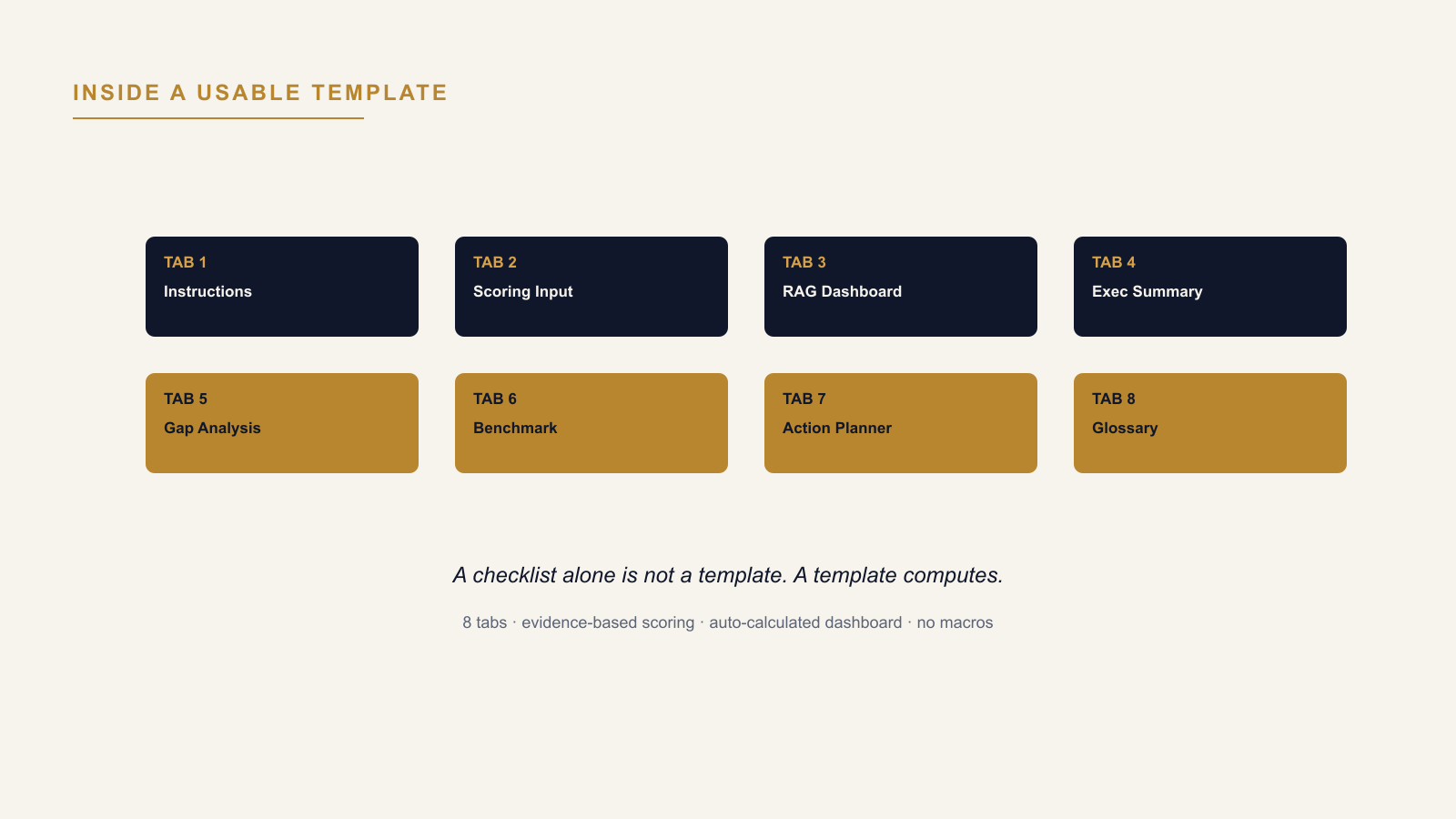
A usable AI readiness assessment template — the kind worth the name "template" rather than just a list of questions in a spreadsheet — contains an evidence-based scoring input scored on a fixed scale, a weighting mechanism across dimensions, an auto-calculated RAG dashboard, a ranked gap register, and an executive-ready summary export. Below is what each of those actually needs to do, and how to tell a functional template from a decorative one before downloading it.
The Free-Template Trap
Most things that turn up when searching for an AI readiness assessment template excel are a list of questions arranged in rows, with a blank column next to each one for a score. That is a checklist wearing a spreadsheet's clothing. It asks the right questions and does nothing with the answers — no weighting, no calculated total, no dashboard, no ranked output. Scoring thirty criteria into thirty blank cells and then manually working out what it all means is not meaningfully faster than doing the assessment on paper; it just looks more official.
What a Genuinely Usable Template Contains
Eight tabs turn a list of questions into an instrument that produces a decision-grade output, matching the structure a credible AI readiness assessment template is actually built on:
- Instructions — defines how to score each criterion consistently, so two different people scoring the same evidence land on the same number.
- Scoring Input — one row per criterion, scored on a fixed evidence-based scale (typically 1–5), with the evidence each score level requires stated next to it, and a weighting layer behind it that applies a deliberately chosen weight to each dimension rather than silently averaging them — checking that the weights entered actually sum to 100% before anything downstream trusts them.
- RAG Dashboard — auto-calculated, recomputing the moment a score changes; if editing one cell doesn't visibly move the dashboard, the "template" is not actually calculating anything.
- Executive Summary — built from the same numbers the detailed tabs hold, formatted for a steering committee rather than for the person who did the scoring.
- Gap Analysis — ranks the weak dimensions by severity, so remediation effort goes to the dimension actually dragging the score down, not the one that happens to be top of a list.
- Benchmark — shows how the scores compare to a typical transformation programme, so a 3.1 has context beyond "better than 1, worse than 5."
- Action Planner — priority actions per dimension, with owner and timeline fields, so a gap identified in the dashboard has somewhere to become a tracked plan rather than a number nobody acts on.
- Glossary — defines every criterion, so a score entered by one person means the same thing when read by another.
Who Actually Opens Each Tab
The eight tabs aren't all for the same reader. The person scoring the assessment lives in Instructions and Scoring Input. The programme or transformation lead lives in the RAG Dashboard and Gap Analysis, tracking which dimensions need resourcing first, then moves into Action Planner to assign owners and dates once a gap is confirmed. Whoever is presenting to a steering committee uses only the Executive Summary and, if asked where the organization stands relative to peers, the Benchmark tab — both built from the same underlying numbers, reformatted for someone who will never open the scoring tab at all. A template that collapses all of this into one generic "results" sheet is asking three different readers to extract three different things from the same undifferentiated view, which is exactly the friction a purpose-built tab structure exists to remove.
What "No Macros" Actually Buys
A workbook built with formulas instead of macros opens cleanly in any environment with default security settings, including the locked-down ones most enterprise IT departments run. A macro-enabled template either gets blocked outright or needs an exception request before anyone can use it — friction that has nothing to do with the assessment itself and everything to do with how the file was built.
How to Tell in Thirty Seconds Whether a Template Is Functional
Change one score in the input tab. If the RAG dashboard recolors and the overall number shifts, the template calculates. If nothing moves until someone manually updates a summary slide, it doesn't — whatever the file is, it isn't the thing that was searched for.
The AI Transformation Readiness Assessment provides this as a built Excel workbook: 8 tabs covering instructions, scoring input, RAG dashboard, executive summary, gap analysis, benchmark, action planner, and glossary, with no macros and no further setup required.
→ Available at www.viksya.com