
How to Measure AI ROI After Go-Live
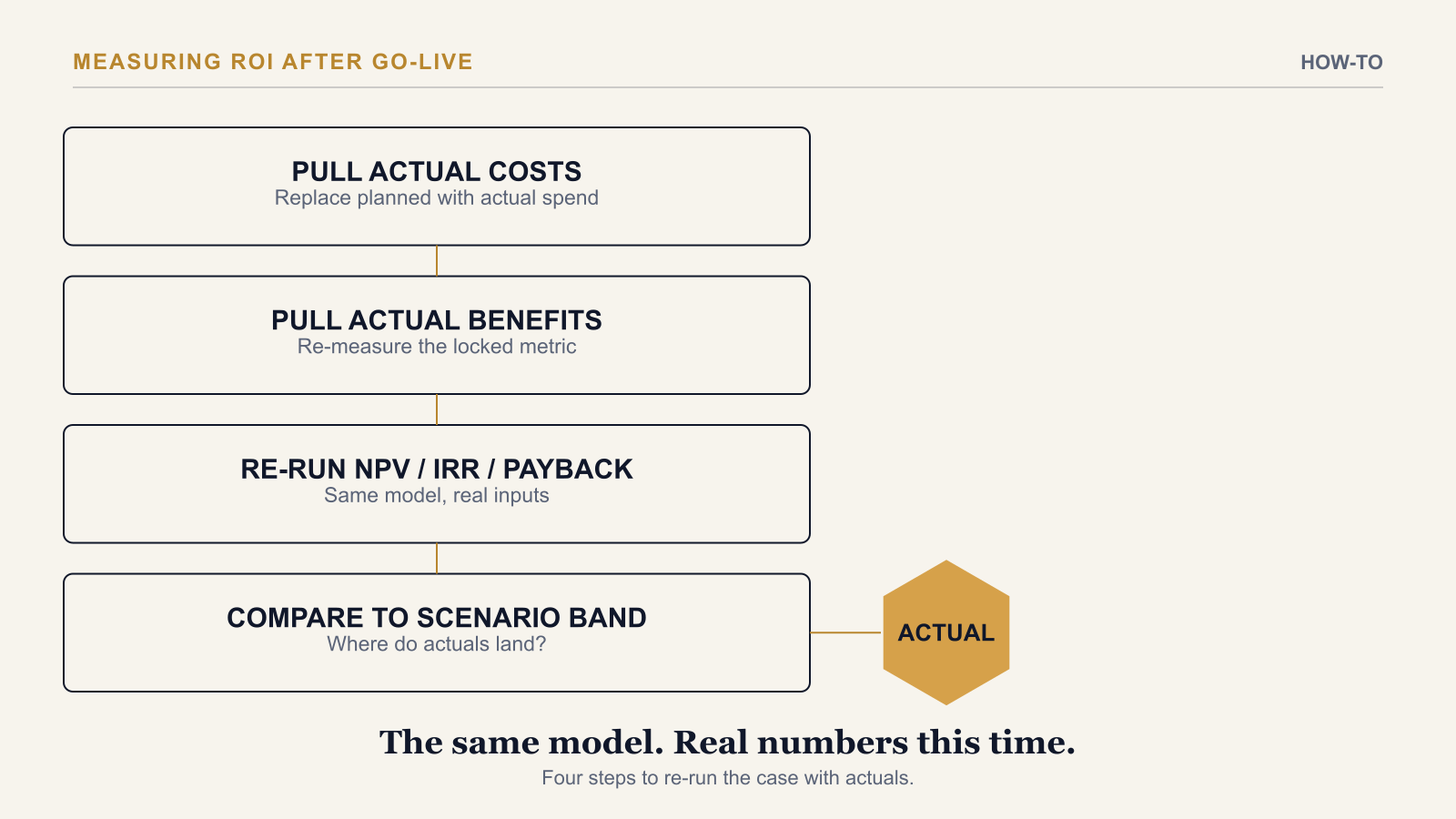
To measure AI ROI after go-live, re-run the same financial model used in the original business case — NPV, IRR, payback period, and ROI % — using actual costs and actual realised benefits in place of the forecasts, then check which of the original Conservative, Base, or Aggressive scenarios the real numbers land closest to. A usage or adoption figure — seats activated, queries run — answers a different question entirely and should never stand in for this recalculation.
Step 1: Pull Actual Costs
Replace every planned cost line in the original model with what was actually spent: the real Year 0 capital outflow, and real ongoing operational cost from go-live onward — inference or licensing, monitoring, retraining, continued change management. If the original business case ran a Conservative scenario with an AI non-linearity allowance for a second tuning cycle, check whether that cycle actually happened, and use the real figure either way rather than the planning assumption.
Step 2: Pull Actual Benefits — the Metric the Case Was Funded On
Re-measure the specific financial or operational metric the business case was built around — cost per unit, cycle time, error rate, revenue per rep, whatever it specifically was — not a usage proxy. This is the step most AI programmes quietly skip, because usage data is instrumented automatically and outcome data requires someone to deliberately go back and re-run a calculation. For why that substitution happens and how to stop it before it starts, see Most AI ROI Metrics Measure Usage. Real AI ROI Metrics Measure the Business Case.
Step 3: Re-Run NPV, IRR, Payback, and ROI % With Actual Inputs
Feed the actual cost and benefit figures through the same model structure, the same time horizon, and the same discount rate used in the original business case. Changing the model's structure at this stage — a different horizon, a more favourable discount rate — defeats the point; the comparison only means something if the only thing that changed between the original case and this recalculation is which numbers are forecasts and which are actuals.
Step 4: Compare Actuals to the Original Scenario Band
Check where the recalculated figures land relative to the original Conservative, Base, and Aggressive scenarios. Landing near or above Base confirms the business case held up. Landing below Conservative is a specific, answerable finding — not a vague sense that the programme underperformed — and points directly at which assumption to revisit: benefit realisation, adoption ramp speed, or cost variance.
Step 5: Decide What the Gap Means, and Report It
A result below the Conservative case means the original assumptions need revisiting before the next funding ask, not a quiet adjustment to the target. A result above Aggressive is useful too — it re-baselines what a credible forecast looks like for the next phase. Either way, report the recalculated metric itself at the next steering committee update, not a summary that blends it with usage context. For the ownership and cadence discipline that keeps this recalculation from lapsing after the first one or two cycles, see How to Get Real AI ROI, Not Reported ROI.
The AI Investment ROI Model's Assumptions Log tab documents every input from the original business case with its source, so re-running NPV, IRR, payback, and ROI % with actual figures after go-live means updating the same workbook, not rebuilding the model from memory.
→ Available at www.viksya.com